
Or: How I Learned to Stop Worrying and Love the AI That cc:’s Everyone

We’ve built quite a cast of characters in this world. The bouncer checking IDs at the door. The no-nonsense lady running the tool room. The guy in the chair watching the monitors. Everyone has a role. Everyone knows their lane.
And then one day, a new hire shows up.
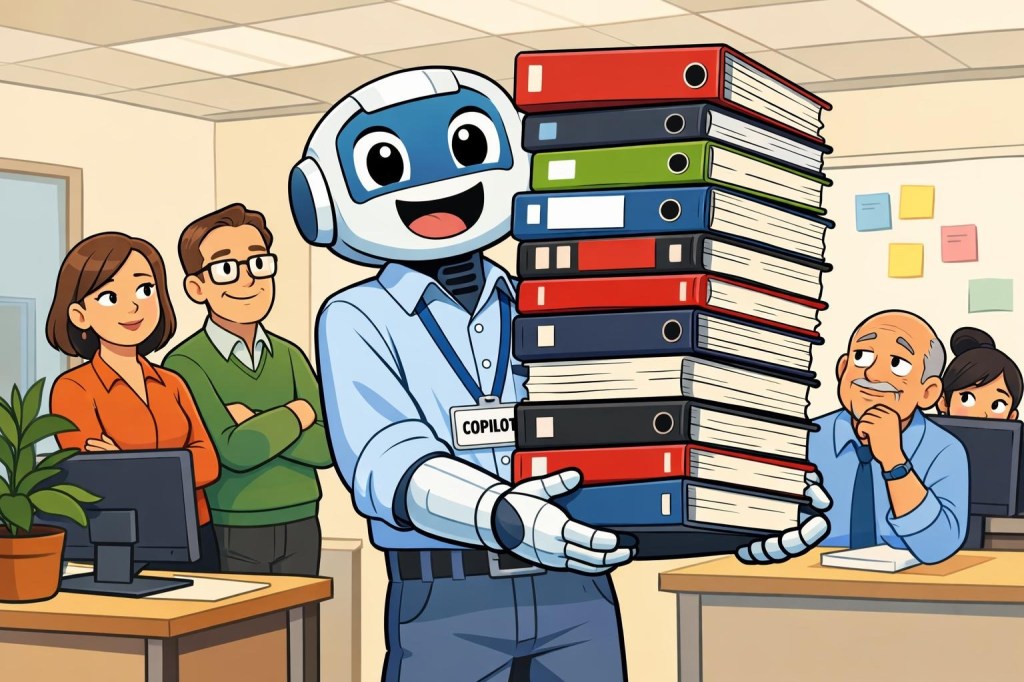
Fresh out of training. Enthusiastic. Incredibly well-read. Eager to help with everything. Has clearly read every manual, every policy doc, every SharePoint page — including the ones nobody’s updated since 2019, and the ones you didn’t know he had access to. And absolutely, unshakably confident in all of it.
Meet Microsoft Copilot.
Who Is This Person, Exactly?
Before we get into it, let’s be clear: “Copilot” is actually a family of AI tools, not just one person. Think of it less like hiring one person and more like a staffing agency sending over a whole team — and they all have the same energy.
Microsoft Copilot is the one that lives in Edge, maybe from the web interface, and is generally around to answer some basic questions like the security guard at the information desk at the mall (circa 1996). It’s less useful, can’t see much, and it knows about what it’s told by you, and what it’s learned, but can’t really see much else. There is also Copilot Pro, too, which is the paid version, more for individuals and power users.
Copilot for Microsoft 365 is the business/enterprise one sitting in on your Teams calls, summarizing your emails, and offering to draft that memo you’ve been putting off since Tuesday. It lives in Word, Outlook, Teams, Excel, and PowerPoint, and it’s very happy to be there. It loves to find information, read it, and will happily regurgitate whatever you want it to.
Security Copilot is the one with the security clearance. It plugs into Defender, Sentinel, Intune, and Entra, and it wants to help your SOC team triage incidents, interpret alerts, and ask the right questions of your environment. It’s read every threat intelligence report. Every one.
For the purposes of this pose, we’ll focus on Microsoft 365 Copilot and Security Copilot, although you’ll find there are really Copilots for, well… It feels like anything and everything. They’re all related — same DNA, same general disposition — but they work in different parts of the building, sometimes with different teams.
What They’re Actually Good At
Here’s where we have to give credit where it’s due, because the two we’re focusing on genuinely pull their weight when you put them in the right situations.
M365 Copilot shines when it comes to the stuff that eats your day in small, annoying bites. Missed a Teams meeting? It’ll give you a summary and even pull out the action items — including the ones that somehow became yours. Writing a first draft of something routine? It’ll get you 70% of the way there before you’ve finished your coffee. Staring at a spreadsheet trying to find a trend? Ask it in plain English and it’ll point you in the right direction. For knowledge workers drowning in meetings and email, it’s genuinely useful — like having an assistant who never takes a lunch break and doesn’t need parking validation.
Security Copilot is where things get interesting for those of us in the security world. It can take an alert that would normally send a junior analyst down a two-hour rabbit hole and summarize the relevant context in seconds. It can help write KQL queries when you know what you’re looking for but can’t remember the exact syntax at 2 AM. It can pull together incident timelines, correlate signals across Defender and Sentinel, and help you explain a complex attack chain to someone who isn’t steeped in security — like, say, a board member or a very nervous CFO.
In short: both versions are legitimately useful. That’s not hype. That’s the honest assessment after the honeymoon phase.
What They’re Not (Yet)
And now for the part the staffing agency glosses over in the brochure.
Our enthusiastic new hire has read everything, but hasn’t experienced much. They will occasionally hand you a beautifully formatted answer with quiet, breezy confidence — and be subtly, frustratingly wrong. Not maliciously wrong. Not obviously wrong. Just… wrong in a way that sounds right until you look closely.
This is the classic hallucination problem with AI, and it hasn’t gone away. Copilot can misremember a detail, misinterpret a request, or confidently synthesize two things that shouldn’t be synthesized. In a Word doc, that’s annoying. In a security context, it can matter a lot more. None of this is specific to Copilot, either. It’s AI.
There’s also the data access question. M365 Copilot, in particular, works with what it can see — and it can see a lot. If your permissions aren’t dialed in properly, Copilot might helpfully surface information that certain people really shouldn’t be surfacing. It doesn’t know your org chart politics. It just knows you asked.
This isn’t a reason to panic. It is a reason to make sure your data governance is solid before you hand Copilot the keys. Check your sensitivity labels. Review your sharing settings. Make sure least-privilege isn’t just a concept you nod at in security reviews.
And from a Security Copilot angle — it’s a powerful reasoning tool, but it reasons from the data it has. Garbage in, garbage out still applies. If your logs are incomplete, your alerts misconfigured, or your environment poorly documented, Copilot will do its earnest best with what’s there. Its output is only as good as your inputs.
The Supervision Question
So how much hand-holding does this new hire need?
More than the demos suggest. Less than the naysayers claim.
Think of Copilot the way you’d think about a smart, well-trained junior employee. You wouldn’t let them send an email to a client without reading it first — at least not in the first few months. You wouldn’t accept their analysis of a complex situation without a second look. But you’d absolutely let them draft things, pull research, and take a first pass at the tedious stuff. That’s the right mental model.
For M365 Copilot, the practical rule is: review before you send, sign, or share. It’ll save you time on the front end. Just don’t skip the quality check on the back end.
For Security Copilot, the rule is similar: use it to accelerate, not to replace. It’s great at helping you ask better questions of your environment. It’s not a substitute for an analyst who understands context, stakes, and judgment. Use it to get to the right answer faster — not to skip getting there yourself.
A Few Practical Notes Before You Turn Them Loose
Licensing matters. M365 Copilot is a separate add-on license — it doesn’t come bundled with E3 or E5. Security Copilot, in some capacity, is being added to E5 licenses, but is billed by Security Compute Units (SCUs), and costs can scale up quickly if you’re not watching. Set a budget and review usage early.
Start with a pilot group. Don’t flip the switch for the whole org at once. Pick a team, watch how they use it, see what weird edge cases emerge. You’ll learn a lot before you scale.
Get your data house in order first. Seriously. If you were putting off that sensitivity labeling project or that SharePoint permissions cleanup, Copilot is now your motivation. The AI will find everything. Make sure everything is where it’s supposed to be.
Train your people. Not on how to use Copilot — it’s pretty intuitive. Train them on what to trust, what to verify, and what not to send through it. AI literacy is now a real skill gap, and it’s worth closing.
Bottom Line
Microsoft Copilot — whether in your productivity suite or your SOC — is a genuine tool that’s worth your attention. It’s not magic, and it’s not going to replace your people. But it will make your people faster, reduce the cognitive load on routine tasks, and give your security team a better starting point when things get complicated.
The key is to treat it like what it is: a talented, enthusiastic new hire who knows a lot, means well, and still needs a more experienced set of eyes before anything goes out the door.
Give it real work. Set reasonable expectations. Review the output. And for the love of all things holy, fix your permissions before you turn it on.
Welcome to the team, Copilot. Try not to CC the entire org on that first email.
Next up: We’ll take a closer look at how Security Copilot plugs into Sentinel and Defender — and what it actually looks like to use it in a real investigation.
 Xenodyne Technologies
Leave a comment